Stop babysitting
your pull requests.
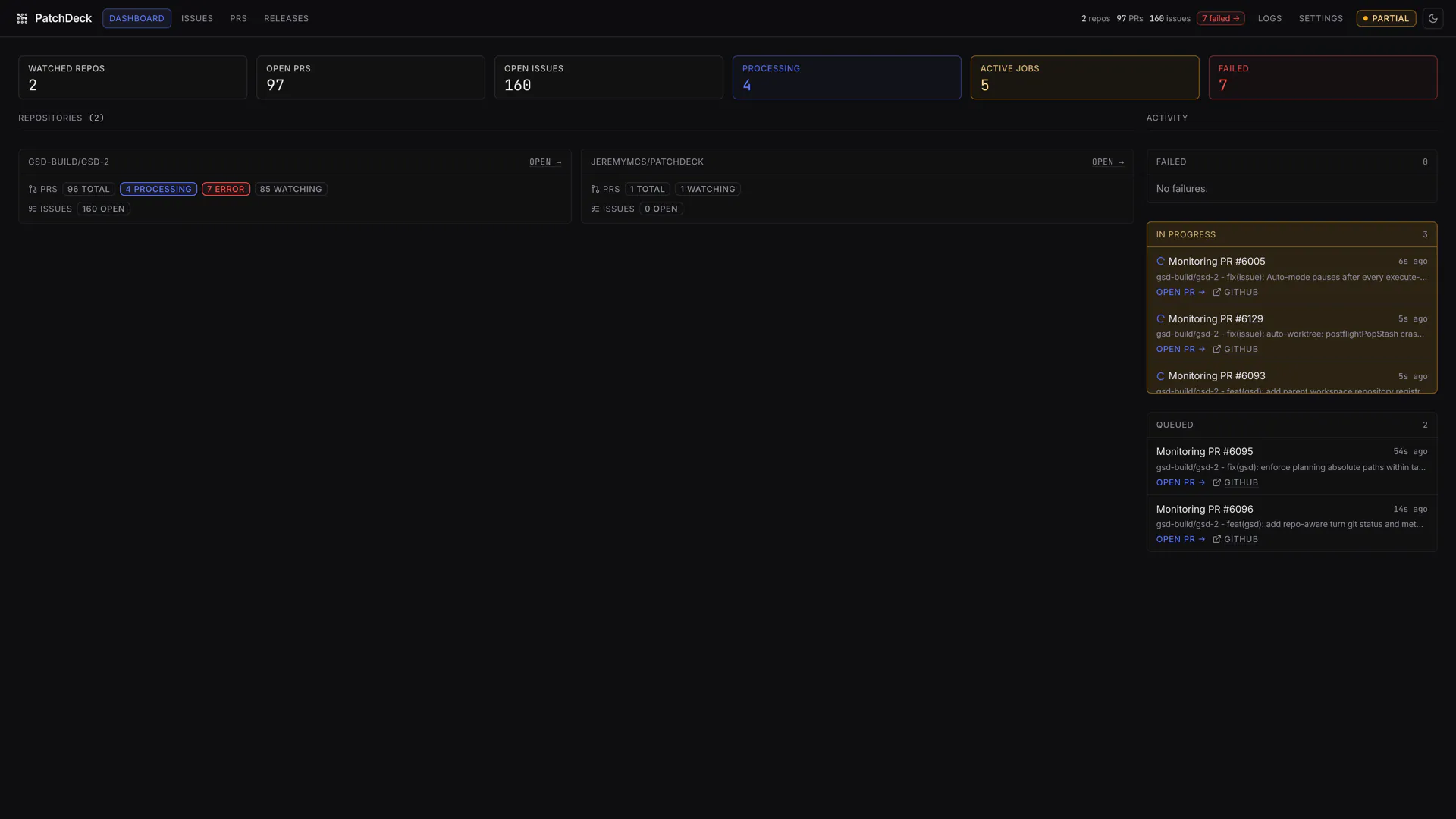
PatchDeck watches the repositories you choose, pulls review comments and failing checks into one dashboard, then runs your own coding agent in an isolated worktree to fix what needs fixing.
npm install -g @jeremymcs/patchdeck
then run patchdeck → dashboard on localhost:5001
Node 22+ · Git · Claude Code or Codex
The problem
Writing the code was never the slow part
A pull request goes up in minutes. Then it sits — waiting on a review comment nobody actioned, a check that failed for a boring reason, a thread left unresolved. The work isn't hard. It's just scattered across tabs, and it's easy to forget.
Feedback goes stale
Review comments pile up across PRs. Some need real thought. Most need a two-line change that nobody has gotten around to.
Checks fail quietly
A lint rule, a flaky job, a snapshot that needed updating. You find out when you next open the tab — which might be tomorrow.
Context lives in tabs
Figuring out what still needs action means opening every PR, one at a time, and reconstructing where each one got stuck.
How it works
Watch. Sync. Triage. Dispatch.
PatchDeck runs on your machine, polls the repos you point it at, and turns every piece of open feedback into a tracked item with a visible state.
-
Step 01
Watch
Add a repository or paste a single PR URL. New repos default to My PRs only so you don't accidentally monitor the whole team on day one.
-
Step 02
Sync
Review comments, review threads, PR status, mergeability, CI state and activity logs land in one local database.
-
Step 03
Triage
Each item is sorted into work to accept, feedback to reject as a no-op, or something flagged for a human to look at.
-
Step 04
Dispatch
Accepted work runs in a clean git worktree. Verified fixes get committed and pushed, threads get replies, conversations get resolved.
Every feedback item has a visible state
What's inside
One deck for everything around the code
Pull requests
See every open thread in one place
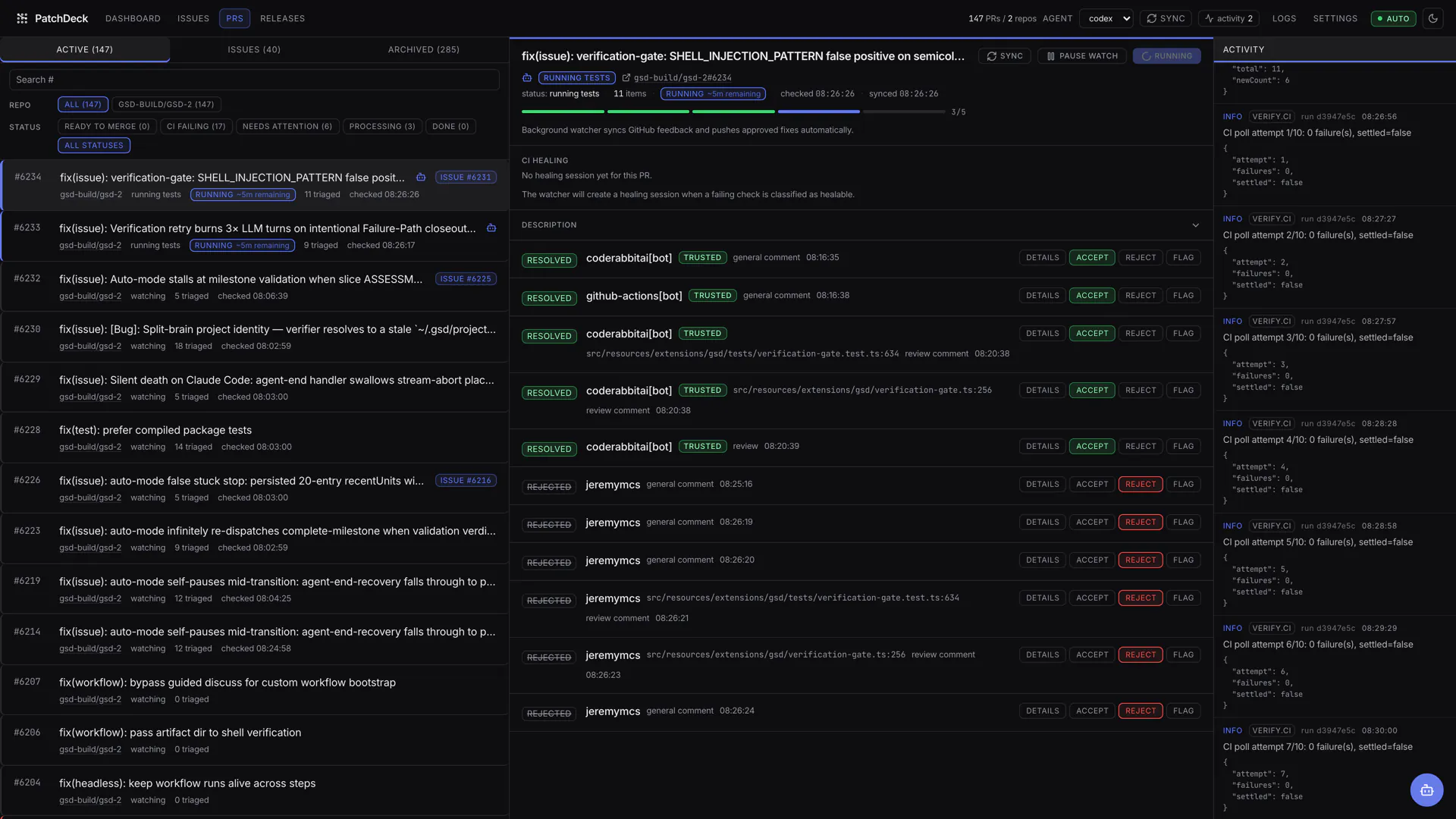
PatchDeck stores each PR's comments, review threads, failing checks, mergeability, docs-assessment state and local activity log. When work is accepted it prepares a clean worktree, runs your agent with the PR context, and handles the follow-up — pushing commits, replying on GitHub, resolving threads, polling CI.
- Pause automation on a single PR without losing its state
- Trusted reviewers and ignored bots, configurable per install
- Direct PR URLs stay tracked regardless of repo scope
Issues
Turn a labelled issue into an open PR
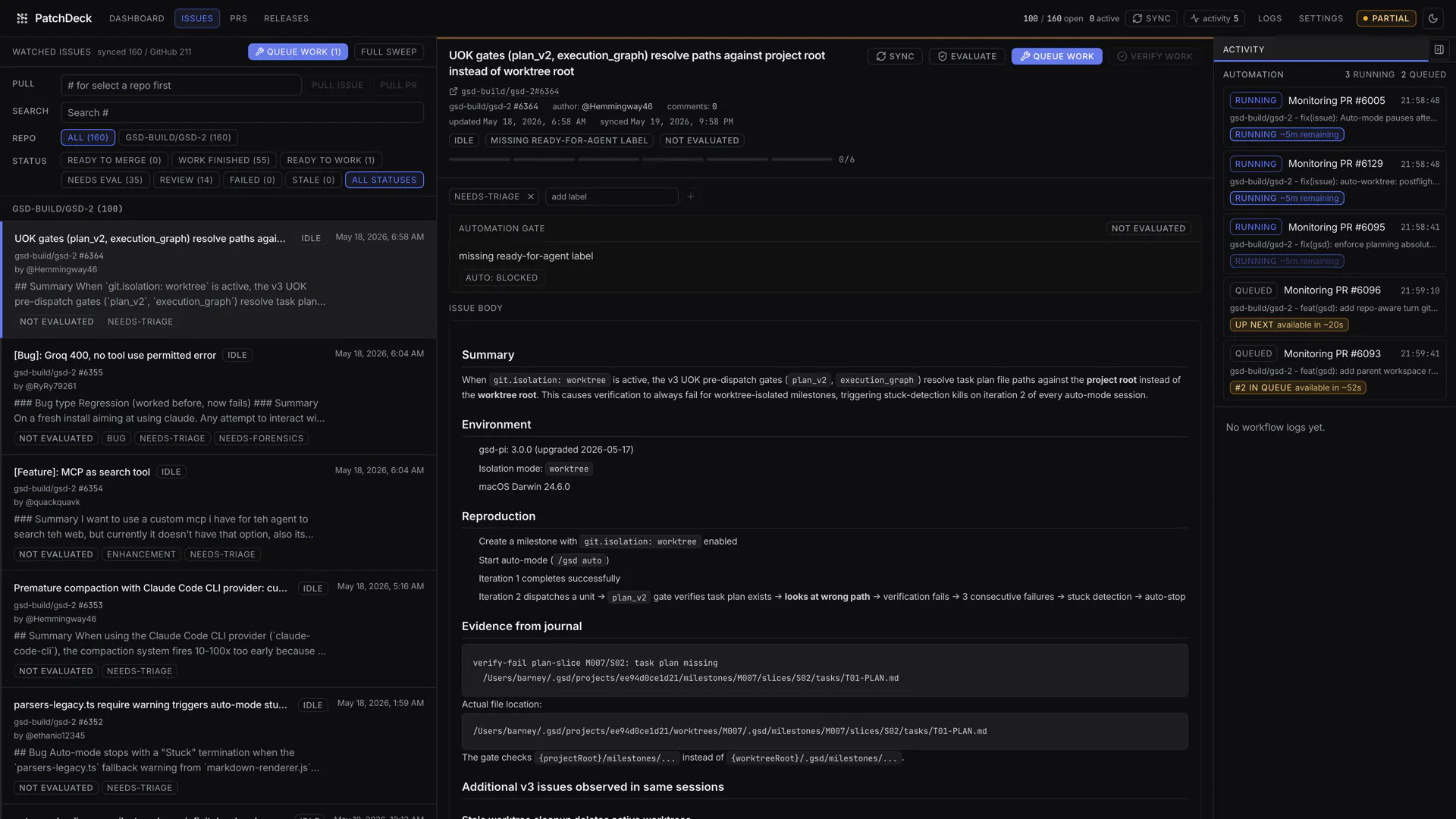
Hit Work issue and PatchDeck creates an isolated worktree, works from the issue context, pushes a branch and opens a linked pull request. Automatic issue work is opt-in per repository and gated by labels.
Ready labels
ready-for-agent
ready-to-work
agent-ready
ready
Blocking labels
blocked · question
needs-maintainer-review
needs-author-feedback
needs-discussion
Releases
Version bump, notes, published
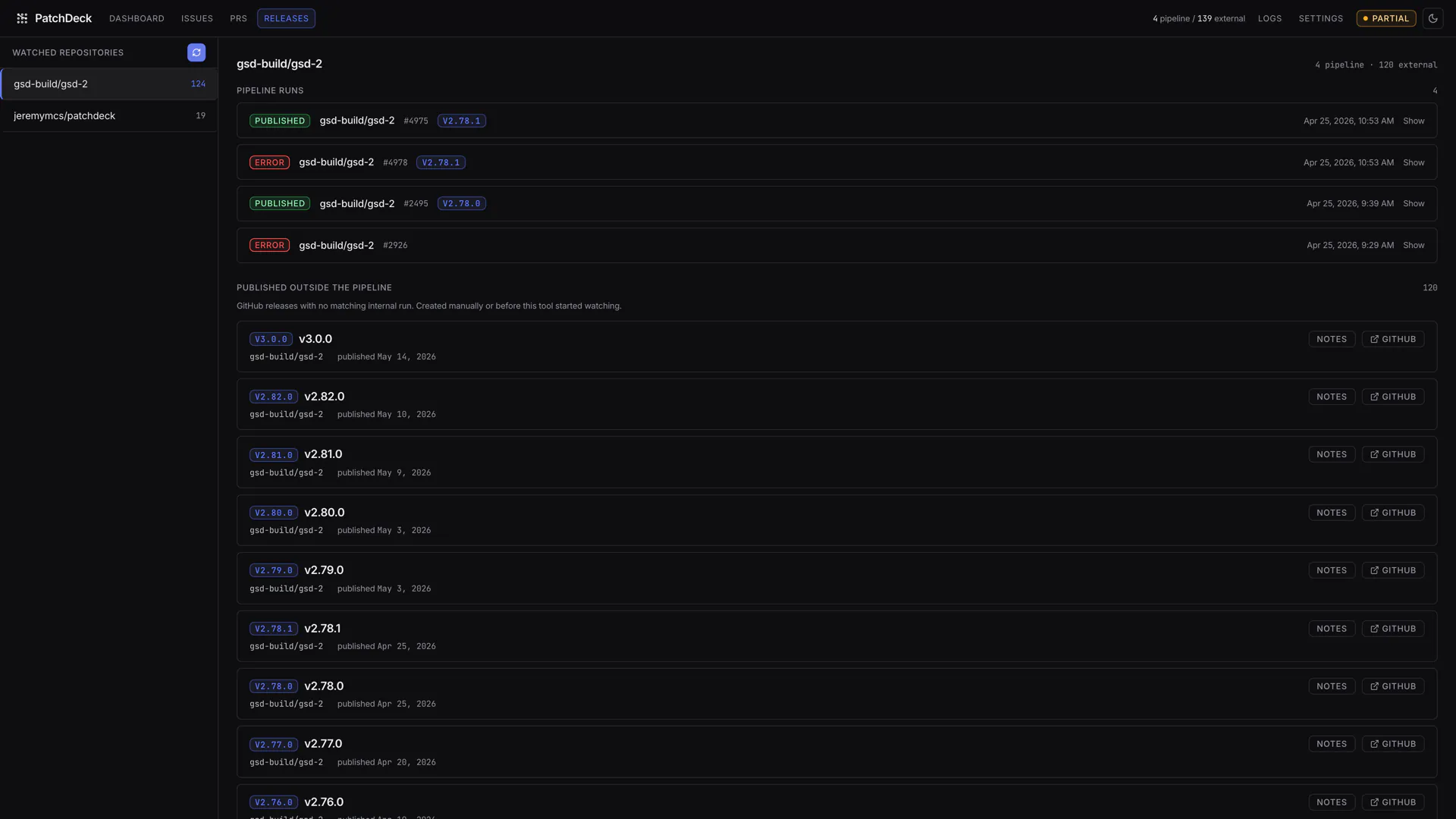
PatchDeck can evaluate merged PRs for release-worthiness, propose a version bump, write the release notes and create the GitHub release. The Releases page shows both PatchDeck runs and releases created outside the app.
Automatic release creation is off by default. Leave it off and use the manual Release button instead.
CI & deployment healing
Bounded repairs for boring failures
When enabled, PatchDeck classifies failing checks, opens a healing session, and only attempts repairs for failures it considers fixable in the PR branch. Retry limits and concurrency are yours to set. Post-merge, it can watch supported deployments and open a follow-up fix PR if one fails.
Deployment platform detection currently covers Vercel and Railway markers, and the matching CLI must be installed and authenticated on the same machine.
Illustration of a healing session. CI healing is disabled until you turn it on.
Logs
Watch exactly what it did
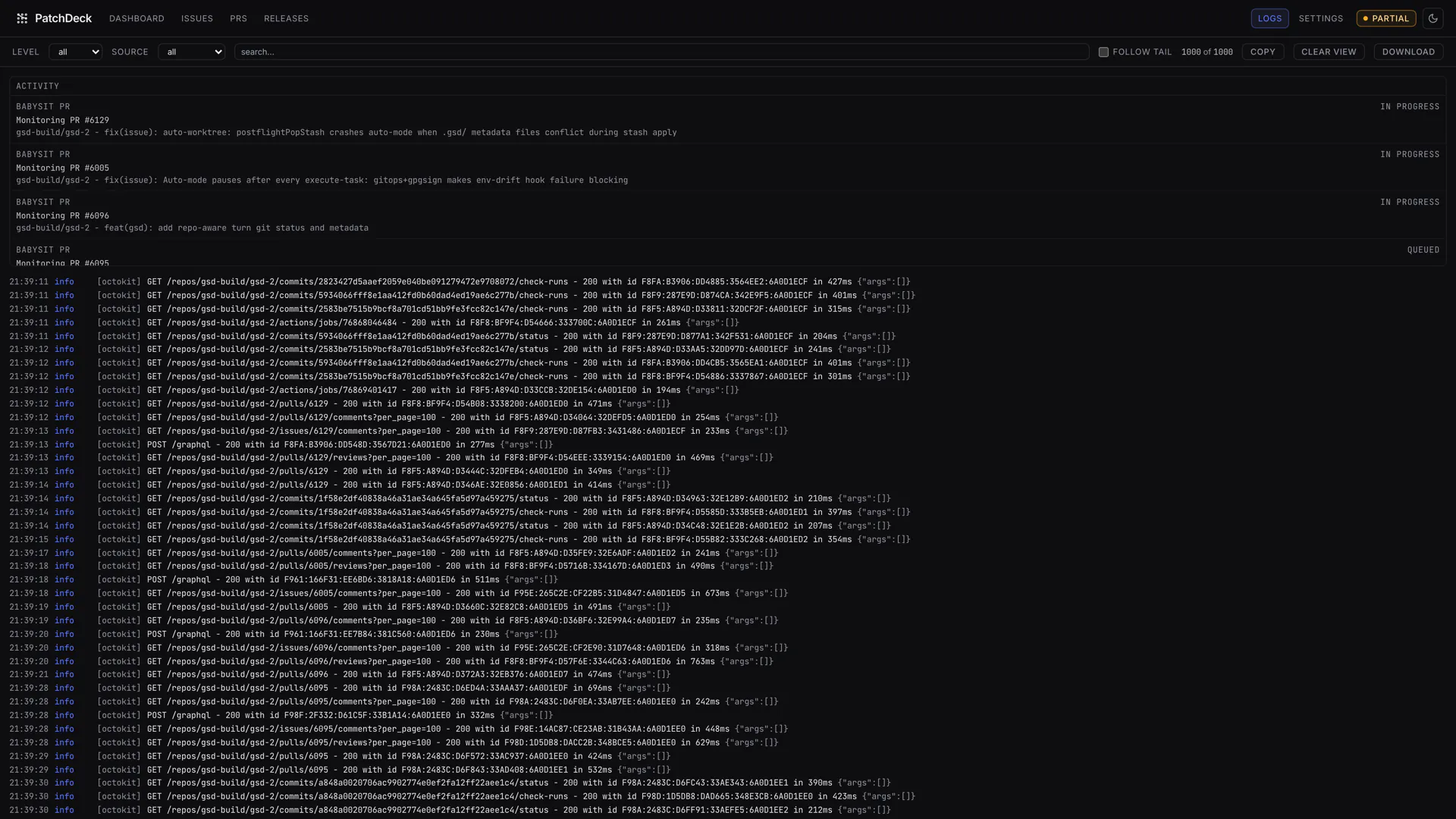
Structured logs stream to stdout and to ~/.patchdeck/log/server.log.
The Logs page adds filtering, search and live tailing. GitHub tokens are redacted
before anything is written.
Because every agent run is recorded, you can turn automation on one switch at a time and check the trail before trusting the next one.
Safety
Local-first, and cautious on purpose
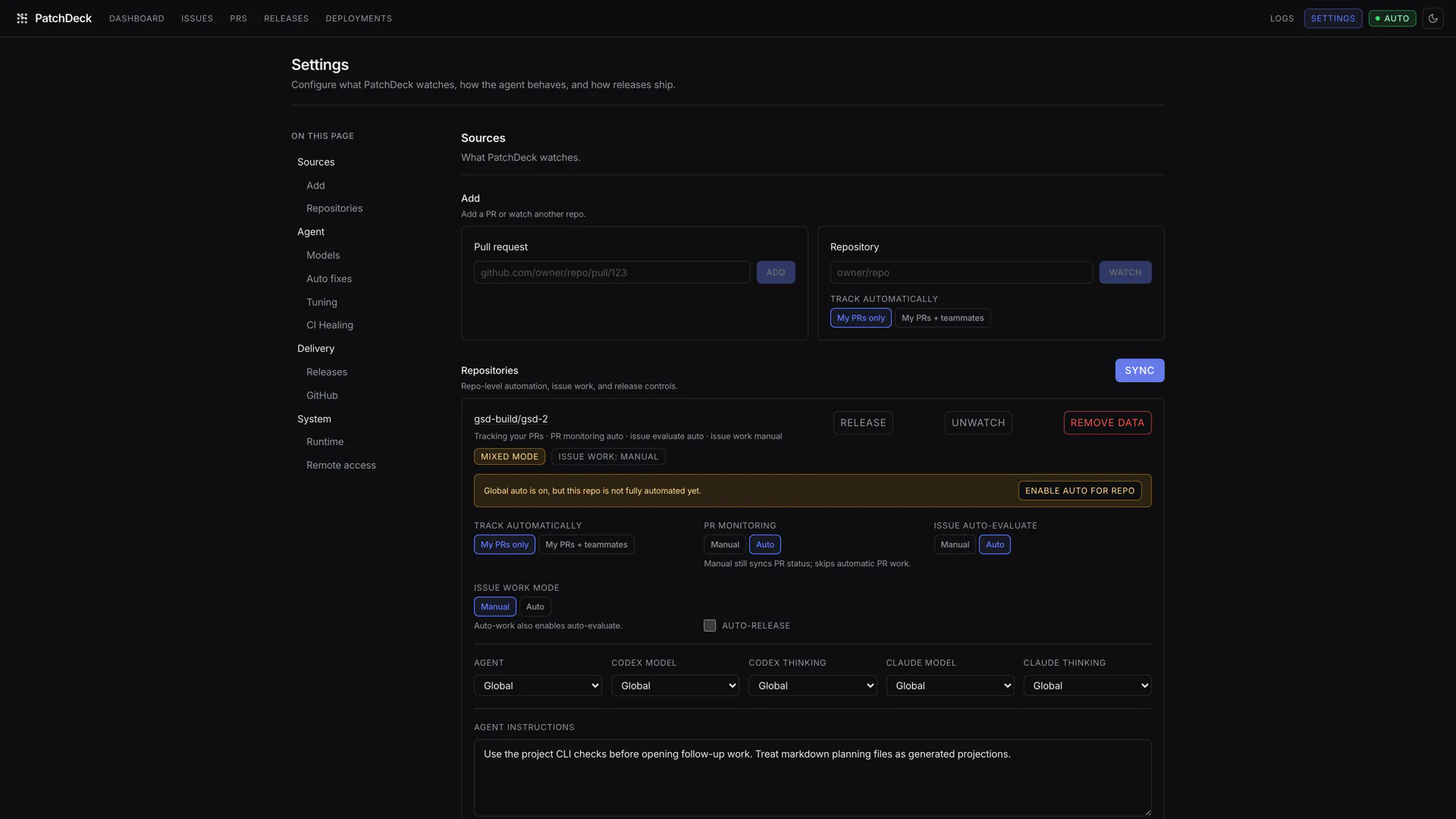
PatchDeck drives a coding agent against real branches, so it is built to be boring about it. State lives on the machine running it, git work happens in app-owned worktrees, and the automatic paths ship switched off.
PatchDeck can spend paid agent usage when automation is enabled. Start manually, watch the logs, and only turn on the automatic paths you actually trust.
Your data stays put
Everything lives in ~/.patchdeck/state.sqlite. No PatchDeck server, no telemetry, no account.
Isolated worktrees
Agents never touch your working copy. Each run gets a clean git worktree under the PatchDeck home directory.
Off by default
Automatic releases, CI healing and deployment healing are all disabled until you explicitly enable them.
Spend ceiling
Cap agent runs per rolling hour across every path. At the ceiling, work waits instead of failing, then resumes on its own.
Drain mode
Pause all new agent work in one switch without deleting a single piece of tracked state.
Bounded retries
Failures retry with backoff up to your limit. Anything needing a person is parked under Needs attention.
Interfaces
Four ways in, one local state
Web dashboard
patchdeck
The primary UI for PRs, issues, releases, logs and settings.
MCP server
patchdeck mcp
Tool access from any MCP-compatible host, against the same local state.
Local REST API
starts with the server
Programmatic access for your own scripts and dashboards.
Desktop app
npm run tauri:build
A native shell that keeps PatchDeck in the macOS menu bar with live counts.
You can also just ask it things — natural-language questions about tracked PR state work from the dashboard, the API and MCP.
Install
Running in about a minute
Terminal
1 · Install
npm install -g @jeremymcs/patchdeck
2 · Start
patchdeck
Opens http://localhost:5001 in your browser.
Prerequisites
- Node.js 22+ and Git
- GitHub auth via
gh auth login,GITHUB_TOKEN, or a token saved in Settings - A local coding CLI:
claudeorcodex, installed and authenticated
A cautious first run
- 1
Add one repository, or paste a single PR URL.
- 2
Confirm GitHub auth in Settings if no token was picked up automatically.
- 3
Keep repo discovery on My PRs only until you want team-wide monitoring.
- 4
Turn off Auto PRs and Auto Issues before adding busy repos.
- 5
Work manually until the behaviour looks right, then re-enable the automatic paths you want.
FAQ
Reasonable questions
Does PatchDeck cost anything?
PatchDeck itself is free and MIT-licensed. It drives your coding agent, though — so when automation is enabled it can spend whatever your Claude Code or Codex plan charges. That's why every automatic path ships off, and why there's an hourly ceiling on agent runs.
Which coding agents are supported?
Claude Code (claude) and OpenAI Codex (codex). Install and authenticate one on the same machine; you can also configure a fallback agent for when the primary is unavailable.
Where does my data go?
Nowhere. State is a SQLite file at ~/.patchdeck/state.sqlite (override with PATCHDECK_HOME). There is no PatchDeck backend and no account to create. Traffic goes to GitHub and to your agent's provider, and nowhere else.
Will it push to my branches without asking?
Only on paths you've enabled. When work is accepted and automation is on, PatchDeck commits and pushes verified fixes to the PR branch and can reply to review threads. Turn off Auto PRs and Auto Issues to keep everything manual, use drain mode to pause new work, or pause a single PR without untracking it.
Can I reach the dashboard from another machine?
Yes, and it's opt-in. Set PATCHDECK_WEB_USERNAME and PATCHDECK_WEB_PASSWORD (or save credentials in Settings) before starting. Local browser and local API access don't need a login. Put TLS in front of it before exposing it outside a trusted network.
Do I have to let it run automatically?
No. Plenty of people run PatchDeck purely as a dashboard — one place to see which PRs have unresolved threads or failing checks — and press the buttons themselves. The automation is there when you want it.
Give your PRs somewhere to land
Free, MIT-licensed, and it runs entirely on your machine.
npm install -g @jeremymcs/patchdeck